IPL 2008-2025 Deliveries Analysis and Prediction using Neural Network Designer
Software: Neural Network Designer (available for Windows 10/11)
https://www.neuralnetworkdesigner.net
Data Source:
https://www.kaggle.com/datasets/meruvakodandasuraj/ipl-complete-dataset-2008-2025-enhanced-edition
This IPL cricket analytics project demonstrates how to build a classification model for wicket prediction using Deep Learning and Dense Neural Networks inside Neural Network Designer.
File: deliveries.CSV
This dataset is a ball-by-ball record of multiple cricket matches. Think of it as a detailed digital scorebook. Instead of just seeing the final score, this file lets you see exactly what happened on every single delivery (every ball bowled).
The data covers over 18,000 individual deliveries across more than 150 different matches, involving all the major teams like Mumbai Indians, Chennai Super Kings, Royal Challengers Bangalore, and Kolkata Knight Riders.
Key Features
| Column Name | Simple Explanation |
|---|---|
| delivery_id | A unique ID number for every single ball bowled. |
| match_id | A unique ID number for each match. This helps group all balls from the same game. |
| innings | Which batting turn (1st or 2nd) of the match. |
| over & ball | The exact over number and ball number within that over. |
| batting_team | The team currently batting and trying to score runs. |
| bowling_team | The team currently bowling and trying to get wickets. |
| striker | The batsman currently facing the ball. |
| non_striker | The batsman at the non-striker end. |
| bowler | The player bowling the ball. |
| batsman_runs | Runs scored by the batsman on that delivery. |
| extra_runs | Extra runs like wides, no-balls, byes and leg-byes. |
| total_runs | Total runs added from the delivery. |
| extra_type | The category of extra run. |
| is_wicket | True or False flag indicating wicket occurrence. |
| dismissal_type | Method of dismissal. |
| dismissed_player | Name of the batsman dismissed. |
| fielder | Fielder involved in the wicket. |
Problem Type: Classification
Neural Network Architecture and Deep Learning Design
Neural Network Designer automatically creates a Dense Neural Network Architecture using the Deep MLP preset.
- Input Layer: Accepts cricket delivery features from the IPL dataset.
- Dense Layers: Fully connected hidden layers used for feature learning.
- Activation Functions: Deep learning activation functions help the neural network learn complex wicket prediction patterns.
- Output Layer: Produces classification output for is_wicket.
- Classification Training: The model learns wicket probability from historical IPL deliveries.
Steps
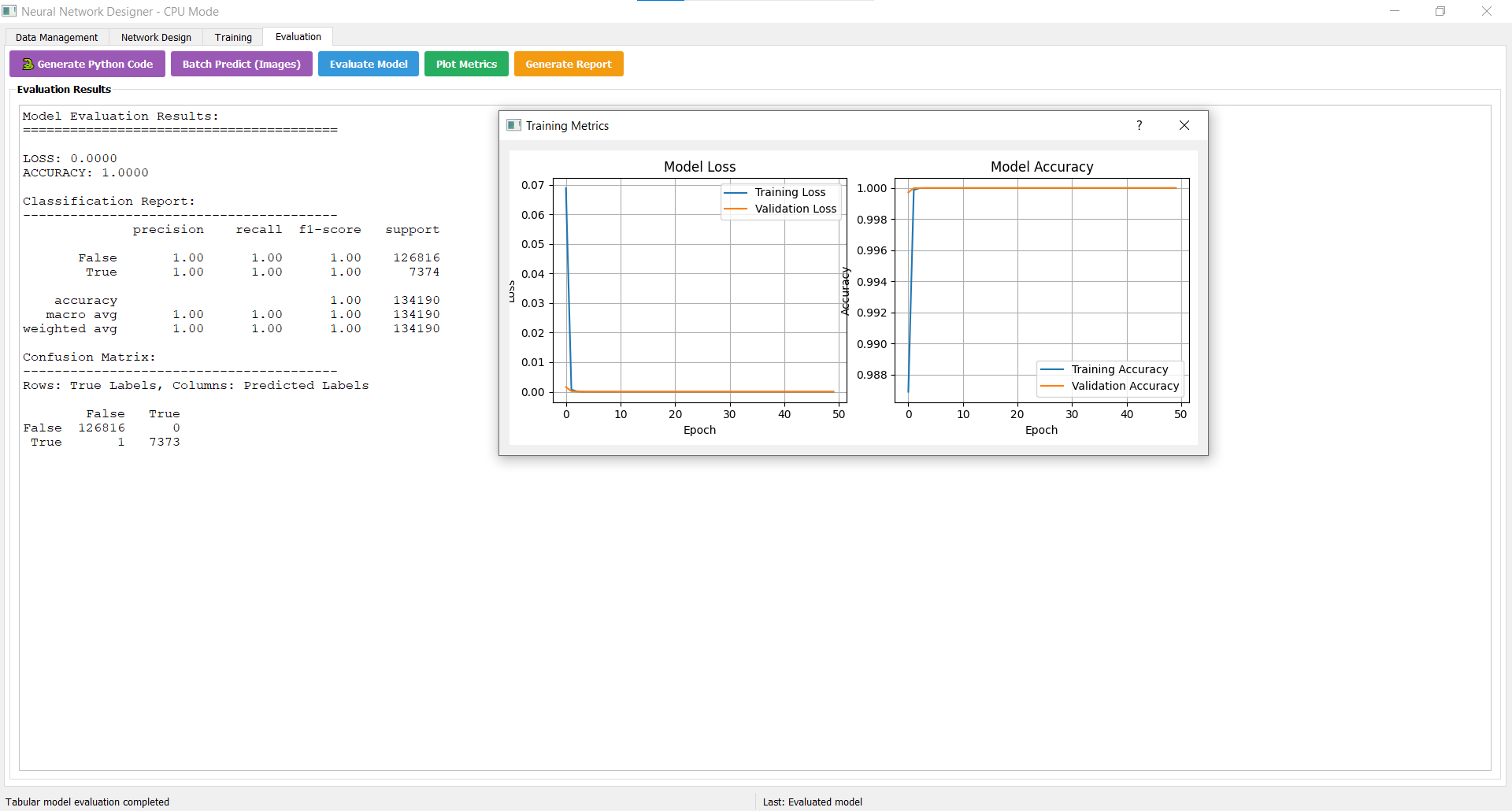
1. Data Management
Select Target Column: is_wicket
2. Network Design
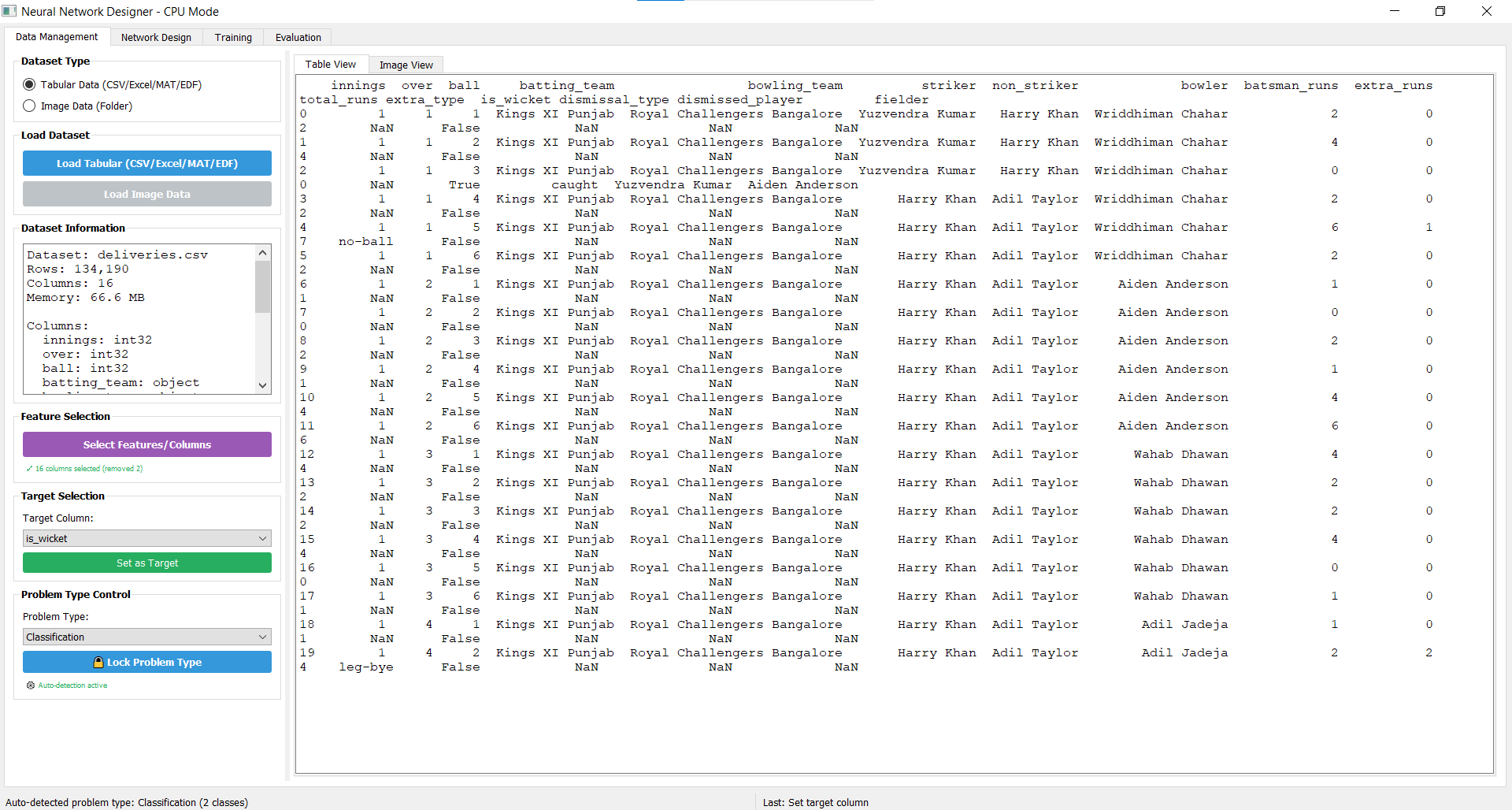
Click on Auto-Design -> Select Deep MLP -> Apply Preset. Neural Network Ready.
The generated neural network architecture contains Input Layer, Dense Hidden Layers, Activation Functions, and an Output Layer for cricket wicket classification.
3. Training
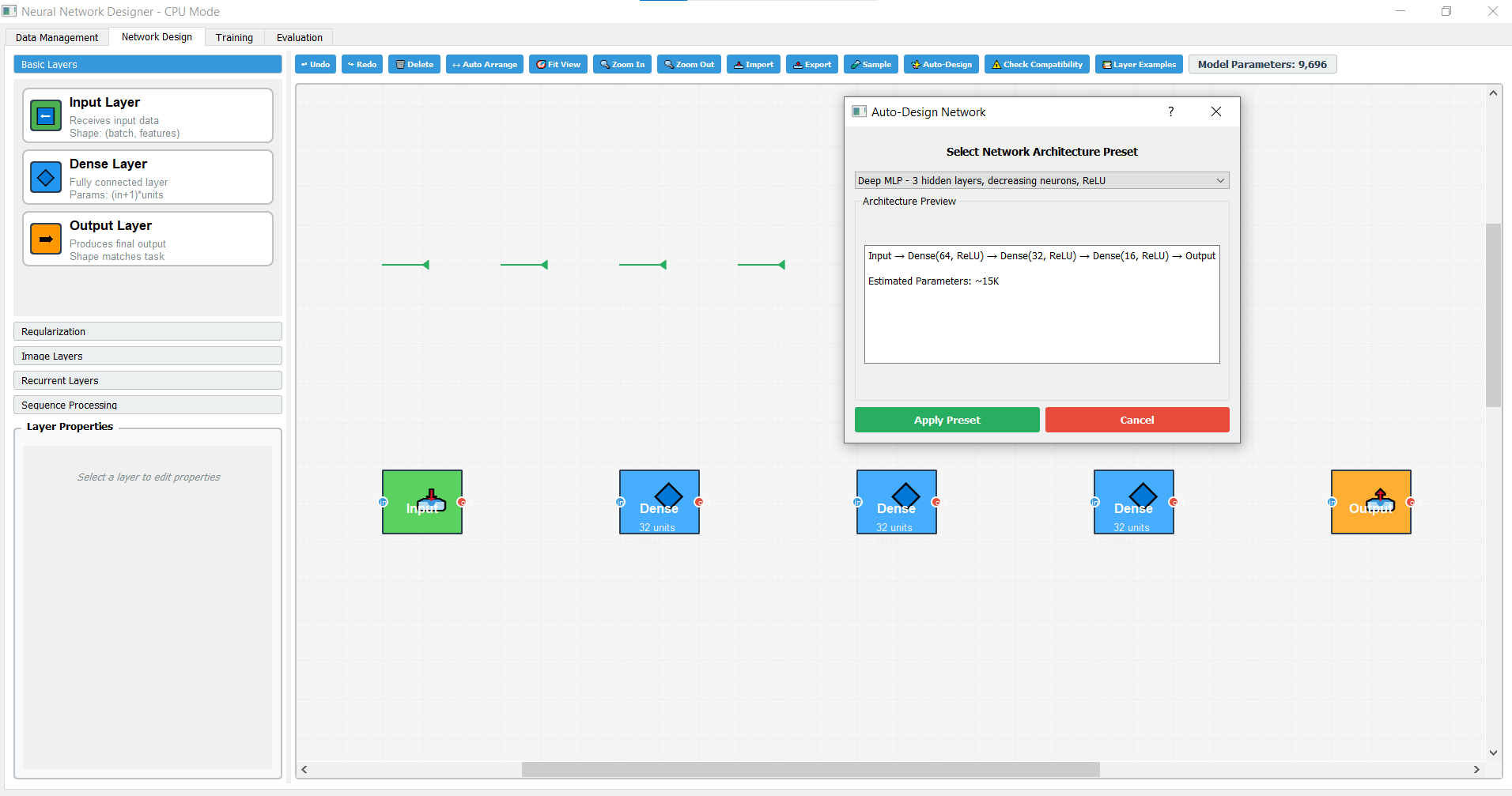
Click on Build Model from Design -> Now, Click on Start Training, see the magic as shown below in Training section of Neural Network Designer.
The deep learning model automatically performs training on the IPL dataset for wicket prediction classification.
4. Evaluation
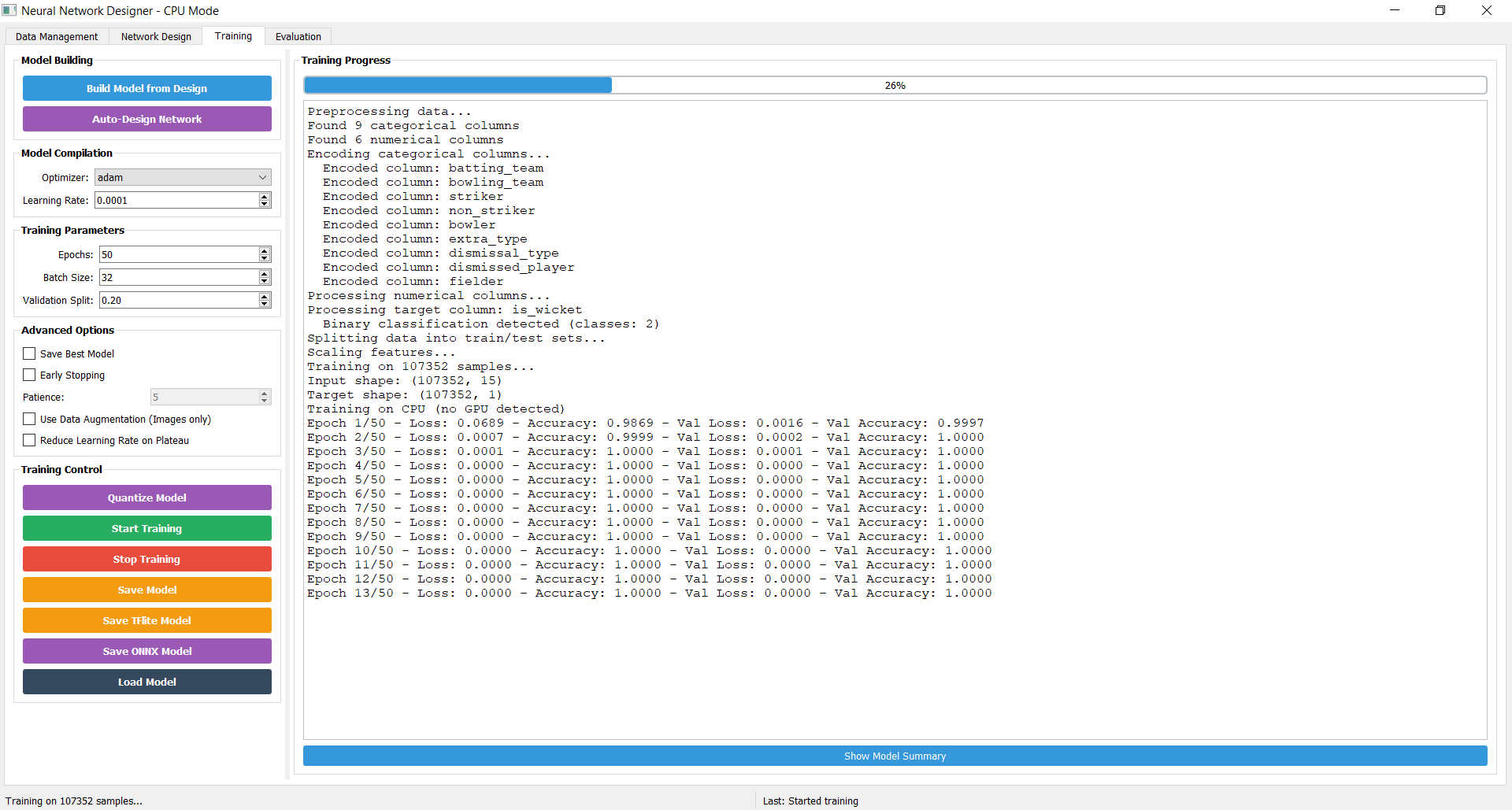
Click on Evaluation Tab -> Evaluate Model, see the results. Click on Plot Matrics to get the model training Graph... DONE. Get your Neural Network Designer at a click away.
Get your license by connecting with us at www.neuralnetworkdesigner.net / mail us at : connect@neuralnetworkdesigner.net